Phone: +91-9310885321
 Email: support@learnhub4u.com

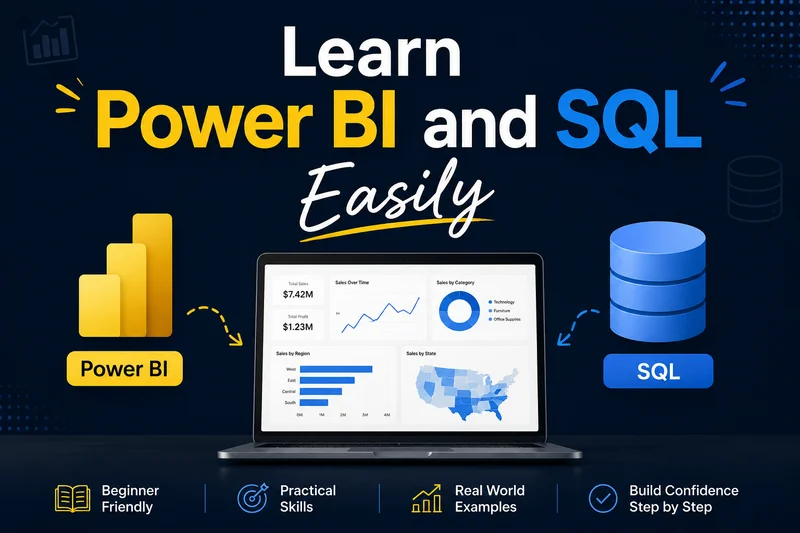
SQL & Power BI Without the Hype
Let’s be totally honest with each other for a second. If you have been looking into data analytics online, you have probably run into those people on LinkedIn or TikTok who make it look like you need to be some sort of math wizard to survive in this field. They throw around terms like "data architecture" and "predictive modeling" just to make themselves look smart and protect their egos.
It’s completely exhausting. And honestly? It’s a lie.
At Learnhub Education, we see people every single day who want to change their careers but are completely terrified. They look at a computer screen full of code and think, "Yeah, there’s no way I can do this, I’m not a tech person." But you don't need a computer science degree, and you don't need to be a genius. If you can use a smartphone, look up a restaurant online, or organize your email inbox, you already have the basic logic to learn this stuff.
Let’s just break down what these two tools actually do in plain English, without all the annoying jargon.
What is SQL and why should you care?
SQL stands for Structured Query Language, which is a horribly boring name for a very simple concept.
Think of a database as an absolutely massive Excel spreadsheet that holds all the information for a company—like every single thing sold, every customer name, and every click on their website. If a company is big, that spreadsheet has millions of rows. If you tried to open that on your regular laptop, your computer would literally start smoking and crash.
So, how do you get the data you need out of it? You use SQL to just ask for it.
Writing a SQL query is literally just talking to that database. Imagine walking into a massive library and yelling to the librarian: "Hey, go to the fiction section, grab all the books written in 2023, and show me the ones that cost less than ten bucks."
When you write that in SQL, you just use three basic words:
SELECT (What do you want to see? The book titles)
FROM (Where is it? The library table)
WHERE (What are the rules? 2023 and under ten bucks)
That’s basically it. Sure, it gets a little more advanced as you go, but about 90% of a real data analyst's job just uses those same basic concepts over and over again. You don’t need to memorize a thousand lines of code. You just need to learn how to ask a logical question.
Enter Power BI: The storyteller
Okay, so you used SQL to pull a big list of numbers. Now what?
If you take a raw spreadsheet of 20,000 rows of data and email it to your boss, they are going to hate you. They don’t have time to sit there and scroll through thousands of rows trying to figure out what’s going on. They want answers, and they want them in about five seconds. They want to know: Are we making money or losing money? Where are our best customers living? What should we fix right now?
This is where Power BI comes in. It takes those boring, lifeless numbers you pulled with SQL and turns them into a visual story.
Instead of a spreadsheet, you build an interactive dashboard. You make a chart where bars go up or down based on sales. You make a map where cities light up based on where people are buying your products.
And because Power BI is made by Microsoft, it feels a lot like Excel or PowerPoint. A lot of it is just clicking a button, dragging a chart onto your screen, and dropping your data into it. It’s incredibly visual, and to be honest, it’s actually kind of fun once you get the hang of it. It feels like playing with building blocks.
The ultimate combo
When you learn both SQL and Power BI, you become the ultimate translator for a business. You are the person who can go into the messy back-end of a company, grab the right data, clean it up, and show the bosses exactly what it means so they can make smart decisions. That is a massive superpower, and companies are desperate to hire people who can do it.
The biggest mistake we see people make at Learnhub Education is trying to learn this by just watching passive videos. They buy a 50-hour course, watch some instructor type flawless code on a screen, and expect it to magically click. It won't. You can’t learn to swim by watching a video of someone else in a pool.
You have to get your hands dirty. You need to write a query, get an annoying red error message, feel a little frustrated, and figure out why it broke. That moment where you finally fix it? That’s where the actual learning happens.
Stop letting the tech world scare you away. You can absolutely do this, and you can do it way faster than you think. At Learnhub Education, we cut out all the textbook nonsense and just focus on the real-world stuff that actually matters. So stop overthinking it, open up a database, and let’s go build something.
FAQs
1. Do I really need to learn both, or can I just pick one?
Technically, you can just learn Power BI, but you’ll hit a wall fast. Think of SQL as the shovel and Power BI as the paintbrush. If you only know Power BI, you are completely dependent on someone else to dig up the data and clean it for you. When you know SQL, you can go get whatever you want, whenever you want, and then use Power BI to make it look awesome. Learning both makes you completely self-sufficient.
2. I am terrible at math. Will I fail at this?
It’s mostly logic and organization. SQL is basically just filtering, sorting, and grouping things—kind of like using the advanced search filters on an online shopping site. Power BI does the heavy mathematical lifting behind the scenes. If you can understand basic averages and percentages, you have all the math you need.
3. How long is this actually going to take me?
If you hear anyone promise you'll be an expert in one weekend, run away. They’re lying. Realistically, if you spend an hour or two every day, you can get a solid, comfortable grip on basic SQL and Power BI in about 4 to 6 weeks. You won't know everything, but you’ll know enough to build real projects and start applying for entry-level roles.
4. What is the biggest mistake beginners make when learning?
Trying to memorize everything. People buy these massive courses and try to memorize every single SQL command or every complex formula in Power BI. Don’t do that. Even professionals with ten years of experience Google things every single day. The goal isn't to memorize the code; the goal is to understand how to solve the problem.
5. Is Excel dead? Why can’t I just use that?
Excel isn't dead—it runs the corporate world—but it has limits. If you try to load two million rows of data into Excel, it will freeze, crash, and ruin your day. Excel also sucks at handling live, automatic updates. Power BI can handle hundreds of millions of rows without breaking a sweat and can refresh your charts automatically every morning.
6. What on earth is DAX, and should I be scared of it?
DAX (Data Analysis Expressions) is just the formula language inside Power BI. If you have ever written an IF statement or a VLOOKUP in Excel, you’ve already done something similar. It can look intimidating when you see massive, complex formulas online, but for 80% of entry-level jobs, you only need to know simple DAX functions like SUM, AVERAGE, and CALCULATE. Take it slow and it won't scare you.
7. Can I get a job with just these two skills?
Yes, absolutely. A lot of entry-level Data Analyst, Business Analyst, or Reporting Analyst roles care almost exclusively about SQL and Power BI. If you can prove you can pull data cleanly and turn it into a dashboard that makes sense to a manager, you are hirable.
8. Do I need to learn Python or R too?
Not right away. This is a massive trap beginners fall into—they try to learn SQL, Power BI, Python, Tableau, and Machine Learning all at the same time and end up quitting because their brain melts. Focus on SQL and Power BI first. Get good at them. If you find a job later that requires Python, learn it then. One step at a time.
9. Is AI going to take over these jobs anyway?
AI tools like ChatGPT are great at writing quick SQL queries or helping you troubleshoot a broken formula, but they don't understand context. An AI doesn't know why your company's sales dropped in March. It doesn't know that a specific manager prefers a certain type of chart. The human part of the job—talking to managers, finding out what problems they have, and translating data into human strategy—isn't going away.
10. What is the hardest part about learning SQL?
Dealing with the syntax errors. Missing a comma, forgetting a single quotation mark, or misspelling a table name will cause the whole thing to blow up with an ugly red error message. It frustrates beginners because the computer can feel incredibly stubborn. You just have to develop a thick skin and realize that fixing those tiny typos is part of the job.